

Accessing Account Settings
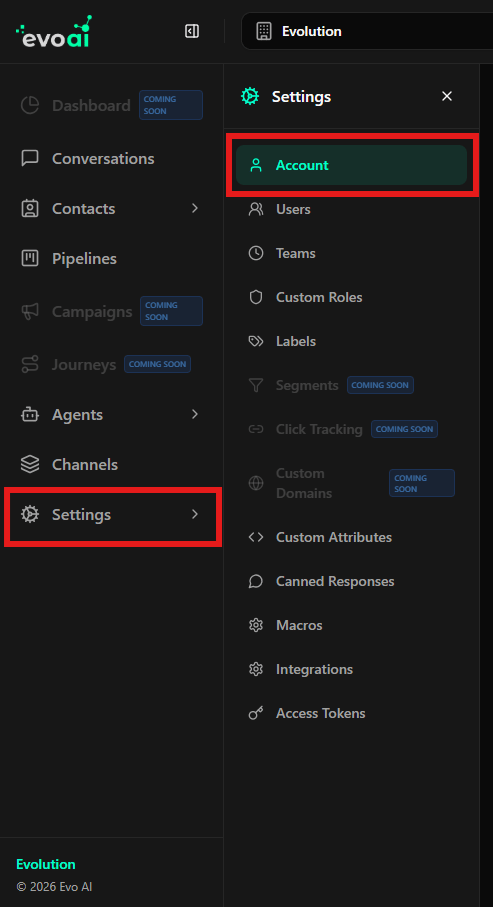
To access this screen, follow the steps below:- In the left sidebar menu, click Settings.
- In the submenu that opens, click Account.
General Settings
In this section, you define the fundamental information for your account in Evo CRM:- Account Name: The identifying name of your account on the platform.
- Language: The default interface language for this account.
- Save Settings Button: After making any changes to these fields, click here to save.
Conversation Auto-Resolution
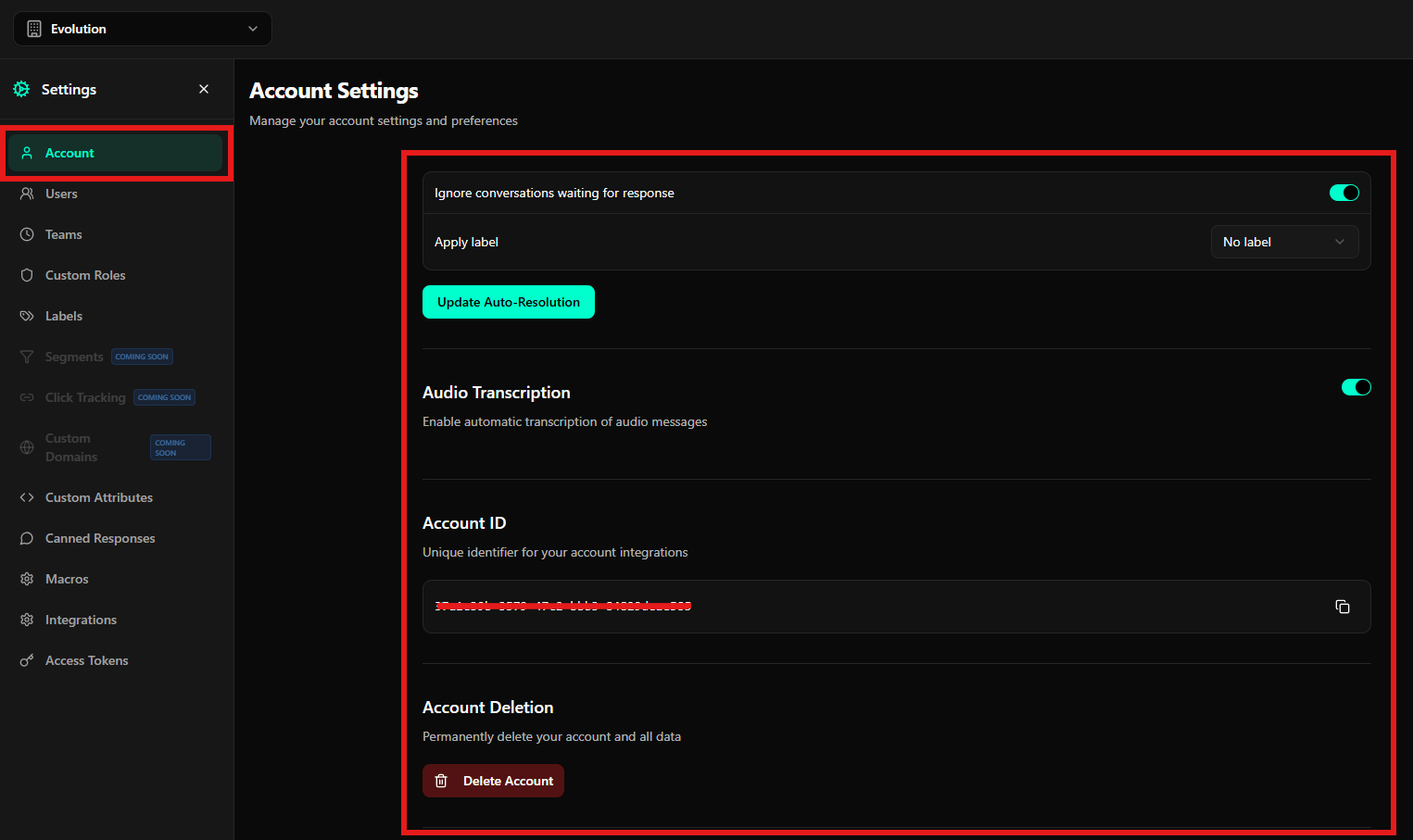
This feature helps keep your inbox organized by automatically closing conversations that have been inactive for a determined period.- Activate/Deactivate: Use the toggle switch in the top right corner to enable the function.
- Auto-Resolution Time: Set the time in minutes of inactivity before the conversation is automatically resolved.
- Auto-Resolution Message: An optional message that will be sent to the customer when the system closes the conversation.
- Ignore conversations waiting for response: If enabled, the system will not close conversations where the agent has not yet responded to the customer.
- Apply label: You can configure a specific label to be automatically applied to conversations resolved by this process.
- Update Auto-Resolution Button: Saves the automatic resolution preferences.
Audio Transcription
Evo CRM has integration to automatically convert voice messages to text.- Enable Transcription: By enabling this option, the system will attempt to transcribe all audio messages received in connected inboxes, facilitating reading and information search.
Account ID
The Account ID is a unique universal identifier (UUID) for your account. It is essential for:- Making API calls.
- Configuring external webhooks.
- Performing custom integrations with other systems.
Account Deletion
This is a critical and irreversible action.- Delete Account: By clicking this button, you will initiate the process to permanently delete your account and all data associated with it (contacts, conversations, settings).