

Starting a New Channel
To start, use the highlighted action on the Channels screen.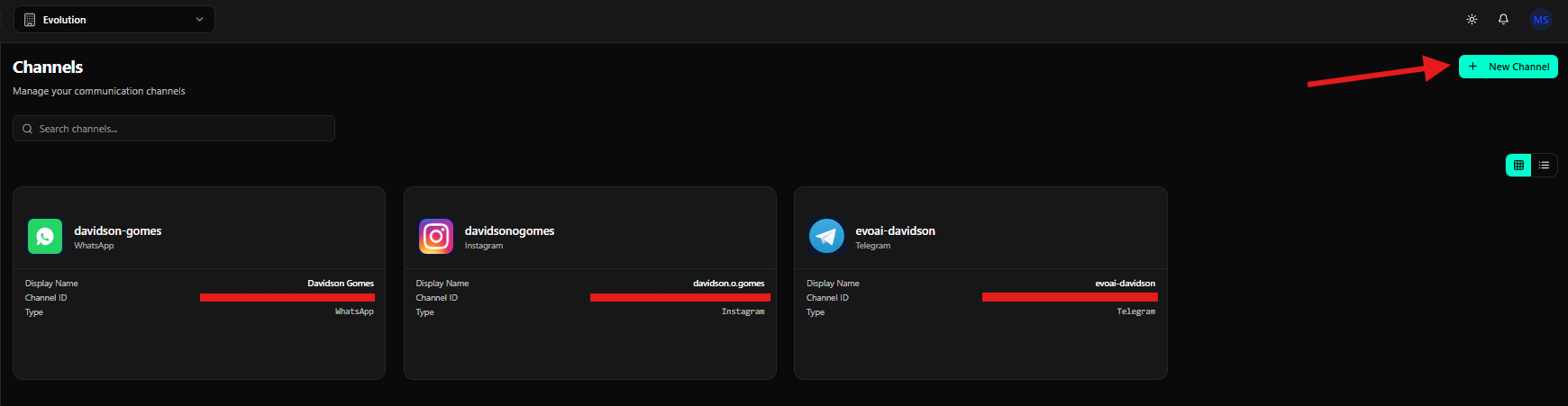
Selecting Instagram
On the Select a channel type screen, click the Instagram card.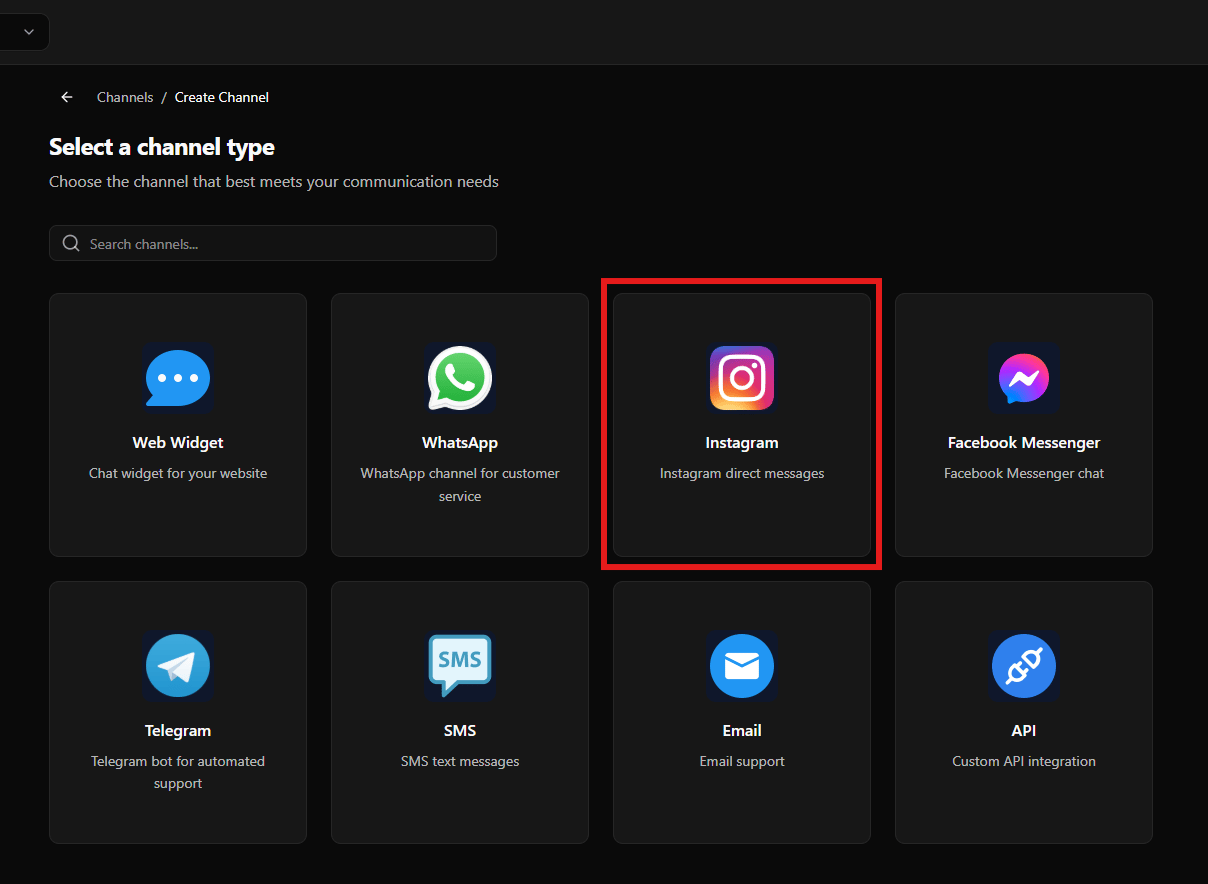
Connecting Instagram
After selecting Instagram, the system opens the configuration screen.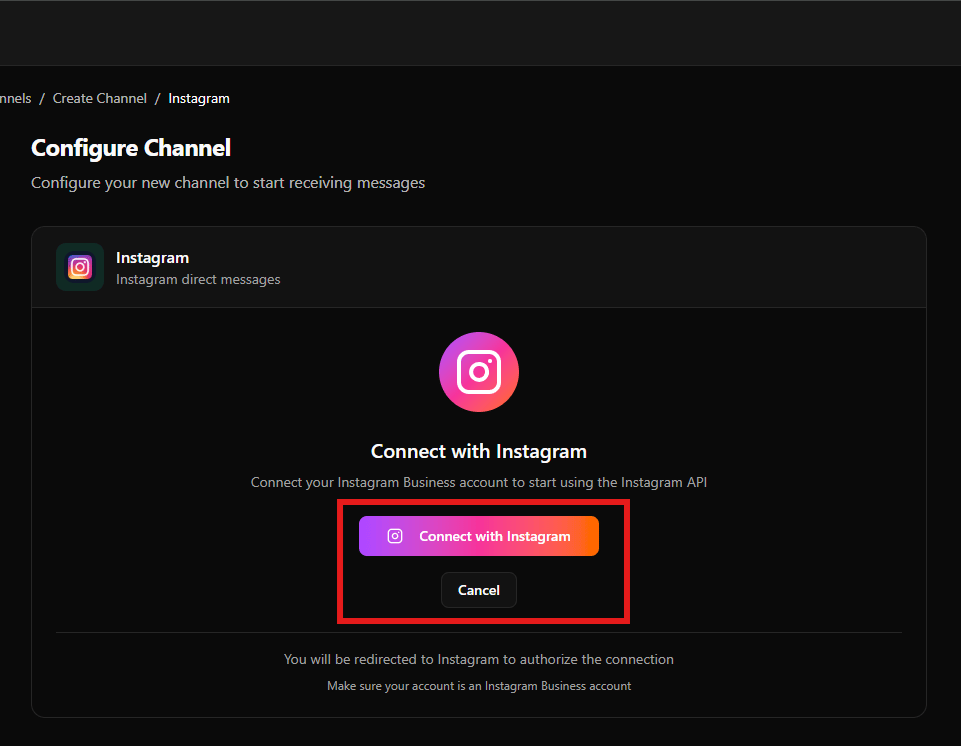
- Connect with Instagram
- Description indicating that an Instagram business account is required
- Button: Connect with Instagram
- Option to Cancel the operation
Selecting Facebook Messenger
To configure Facebook Messenger, return to the channel type selection screen and click Facebook Messenger.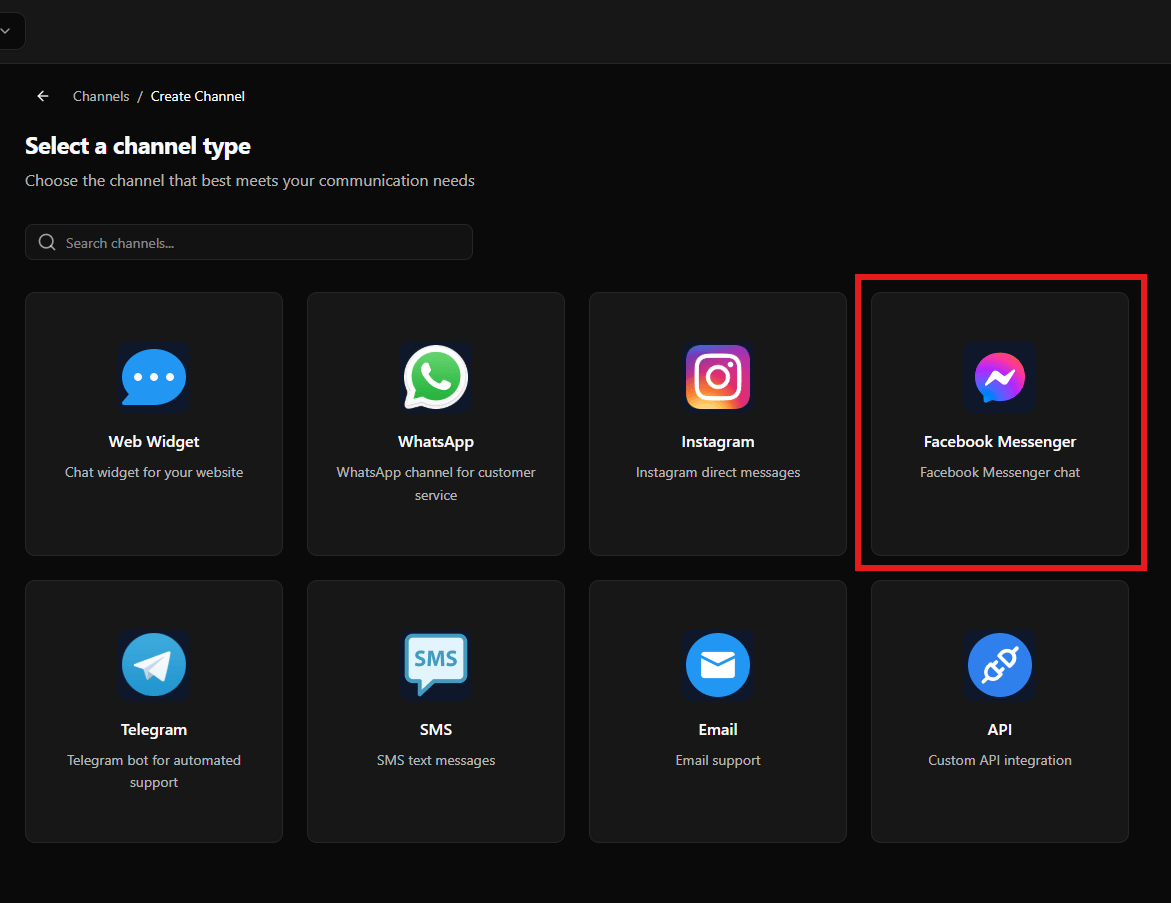
Connecting Facebook Messenger
After selecting Facebook Messenger, the configuration screen is displayed.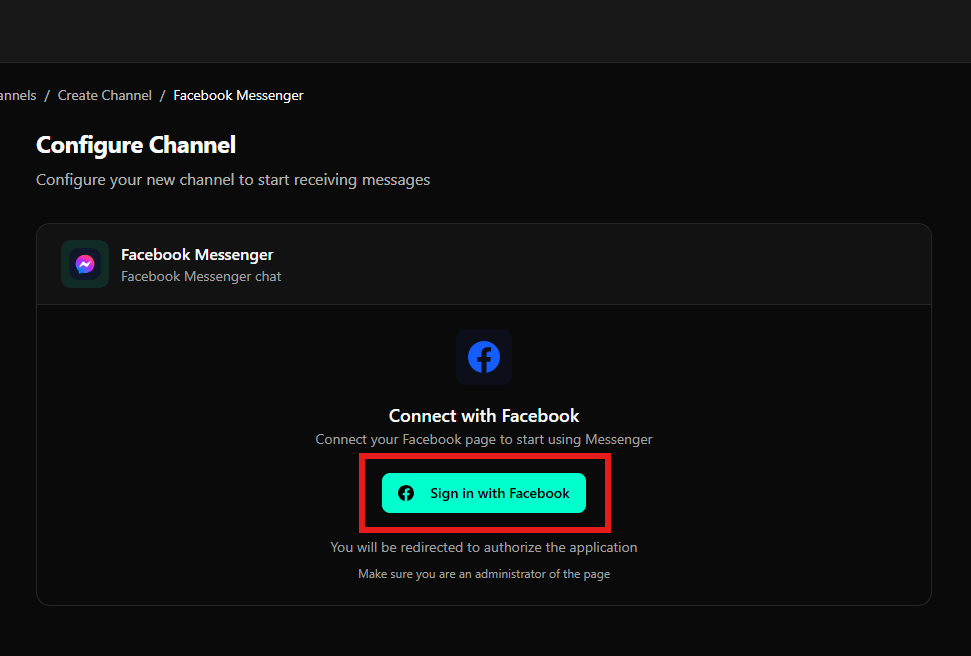
- Connect with Facebook
- Button: Sign in with Facebook
- Message informing that you will be redirected to authorize the application
- Note indicating that you must be a Facebook page administrator
Final Considerations
- Instagram requires an Instagram business account
- Facebook Messenger requires administrator access to the Facebook page
- Both channels use an external authorization flow
- After authorization, the channel is available in Evo CRM