The Agents section allows you to manage all AI agents available in your workspace. On this screen, you can view existing agents, create new ones, export configurations, and manage API keys used by agents to interact with external services.

Accessing the Agents Section

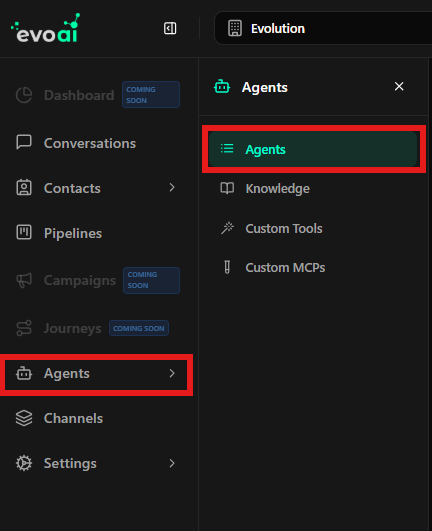
To access the Agents area, use the main navigation menu. Accessing the agents section In the sidebar, click Agents to open the agent management screen.
Agents Main Screen

After accessing the section, you will see the Agents main screen. Agents main screen This screen is responsible for listing all created agents and providing global actions related to agent management.
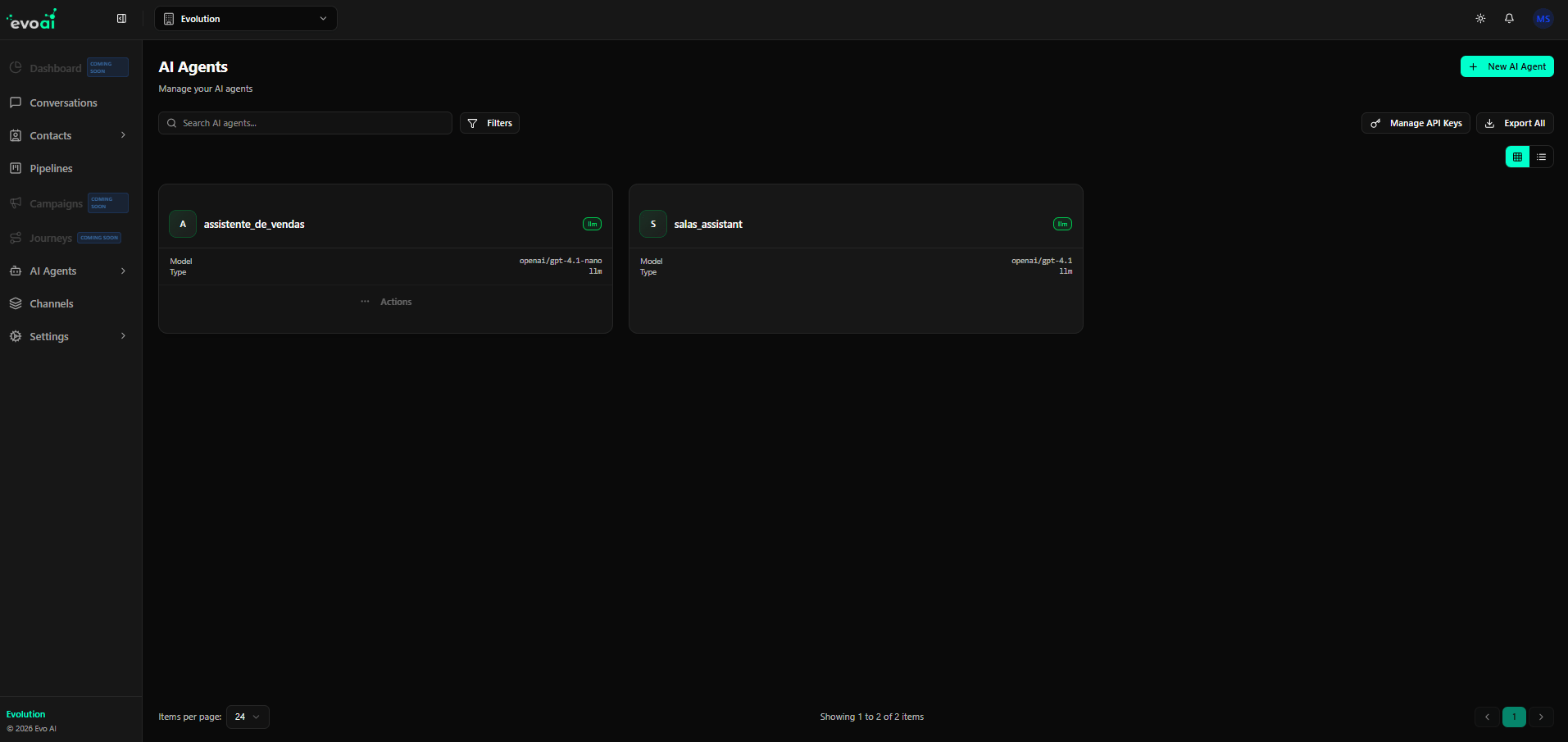
Elements available on this screen:

  • Search agents: Allows searching agents by name.
  • Filters: Apply filters to refine the agent list.
  • Agent list area: Displays all existing agents (or an empty state if none exist).
  • Main actions: Create agents, manage API keys, or export agents.
If no agent has been created yet, an empty state message will be displayed with a shortcut to create a new agent.

Managing API Keys

Agents may require API keys to interact with models or external services. These keys can be managed directly on the Agents screen. Manage API keys Click Manage API Keys to:
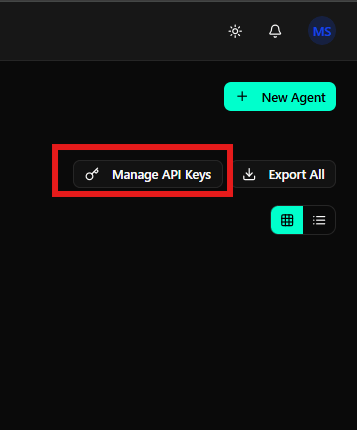
  • Create new API keys
  • View existing keys
  • Revoke or rotate keys when necessary
These keys are used by agents during execution and integrations.

Exporting Agents

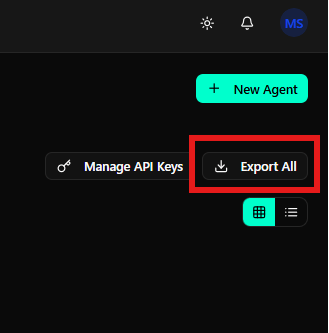
You can export all agent configurations for backup or migration purposes. Export agents Click Export All to download agent data. This action exports the configuration of all existing agents in the workspace.
Agent List and Status

When agents are available, they will be displayed in the main list area. Agent list with status Each agent entry may include:
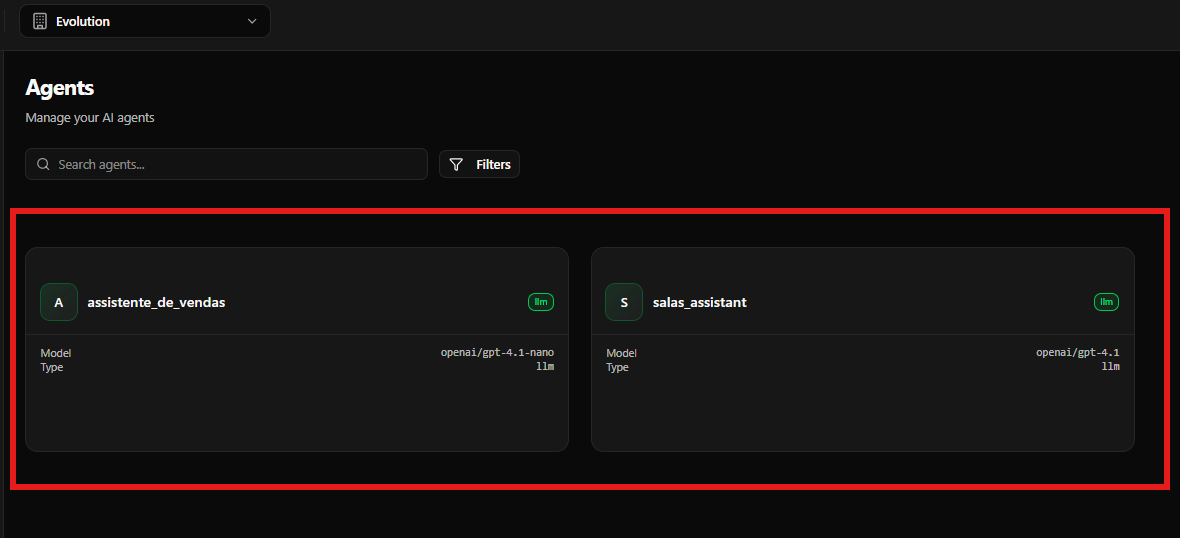
  • Agent name
  • Status (active, inactive, or draft)
  • Creation or last update information
  • Quick access actions (depending on configuration)
This list helps you quickly identify which agents are available and ready for use.

Final Considerations

The Agents Overview is the central hub for managing AI agents. From here, you can create new agents, manage access keys, export configurations, and monitor the overall state of your agents before moving on to advanced settings such as tools, MCP servers, and knowledge bases.