

Starting a New Channel
To start creating an SMS channel, use the highlighted action on the Channels screen.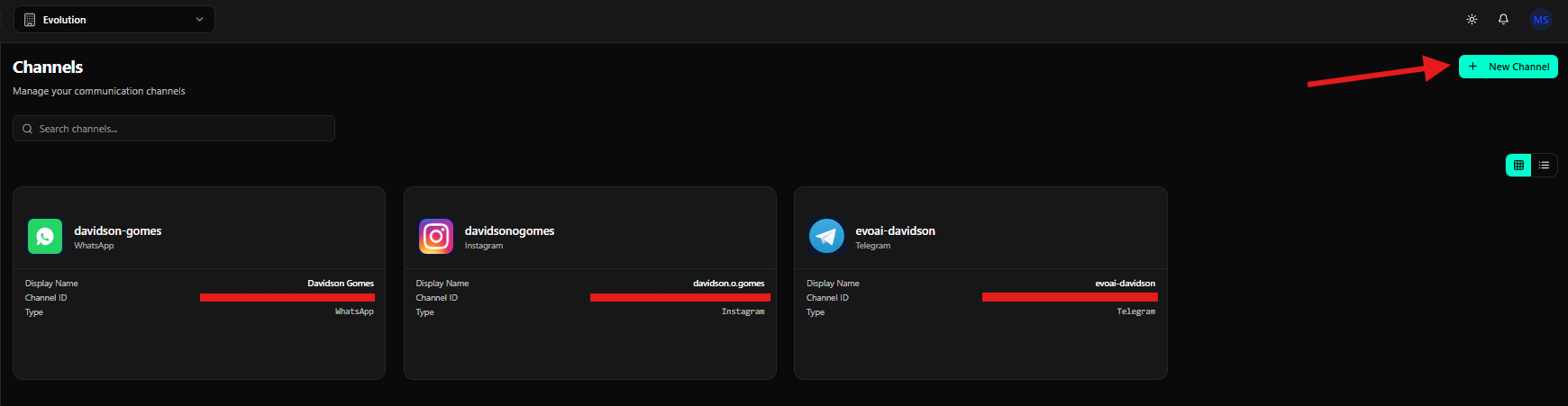
Selecting SMS
On the Select a channel type screen, click the SMS card.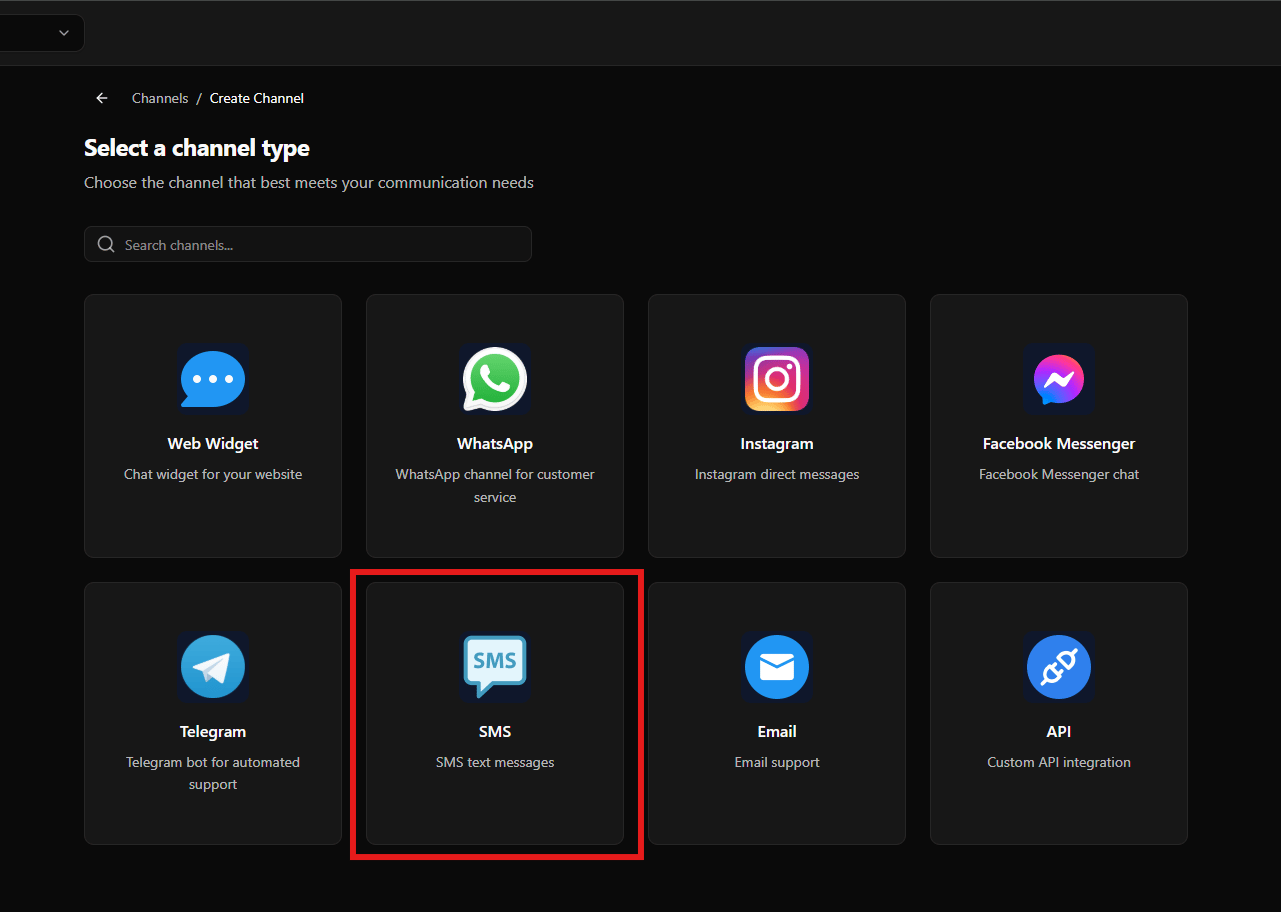
Choosing the SMS Provider
After selecting SMS, the system displays the SMS Channel screen with available providers.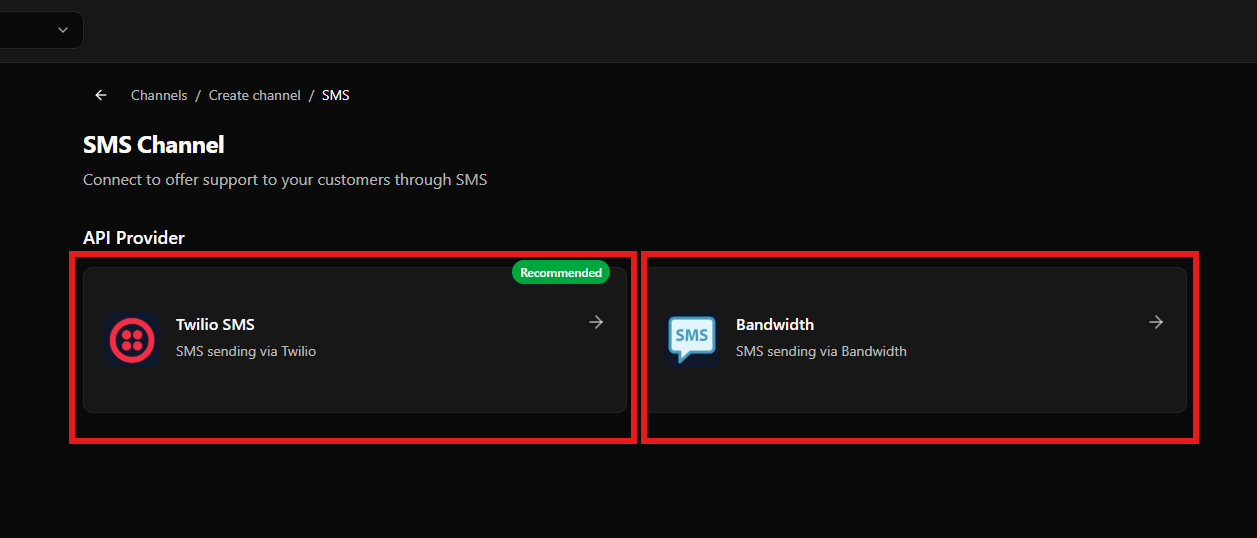
-
Twilio SMS (Recommended)
Description: “SMS sending via Twilio” -
Bandwidth
Description: “SMS sending via Bandwidth”
Configuring SMS with Twilio
Select Twilio SMS to proceed with configuration.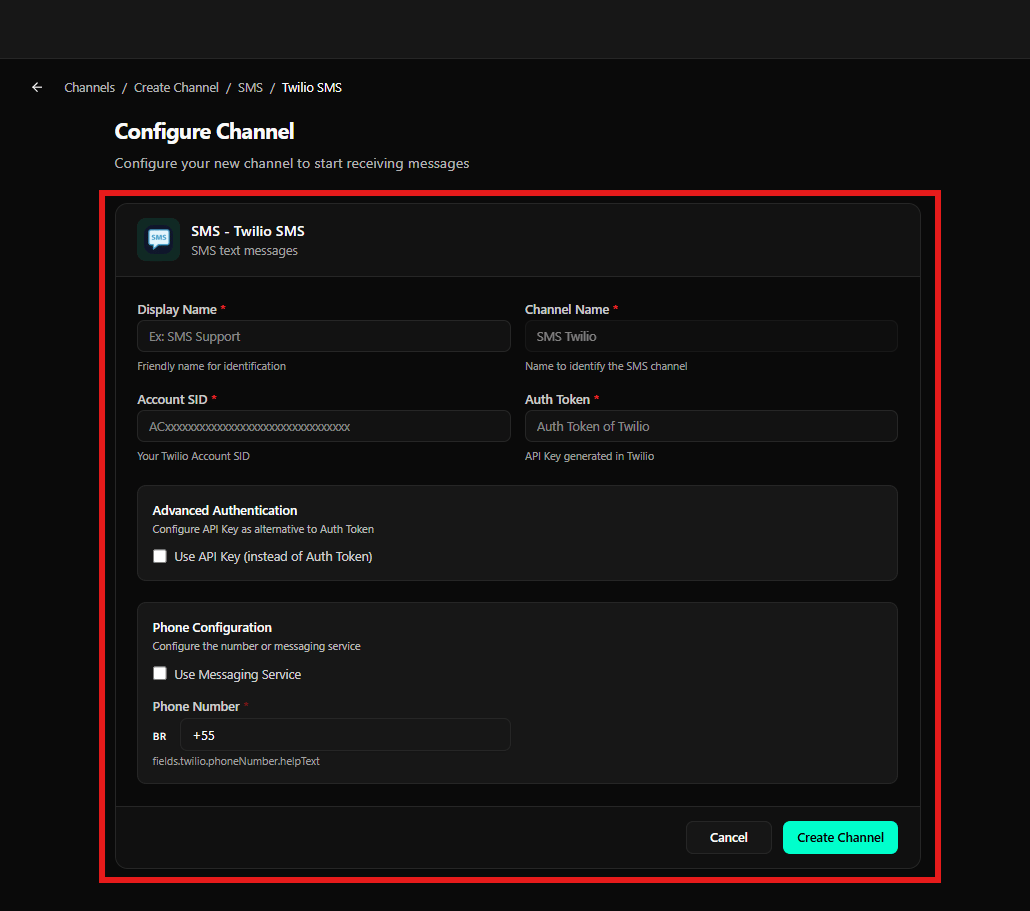
Basic Information
- Display Name *
- Friendly name for identification
- Example: “SMS Support”
- Channel Name *
- Name to identify the SMS channel
- Example: “SMS Twilio”
Authentication
- Account SID *
- Your Twilio Account SID
- Format: ACXXXXXXXXXXXXXXXXXXXXXXXXXXXXXXXXXX
- Auth Token *
- Twilio Auth Token
- API Key generated in Twilio
Advanced Authentication
- Use API Key (instead of Auth Token)
- Option to configure API Key as an alternative to Auth Token
Phone Configuration
- Use Messaging Service
- Option to use a messaging service instead of a single number
- Phone Number *
- Phone number in international format
- Country code selector available
Configuring SMS with Bandwidth
Select Bandwidth to proceed with configuration.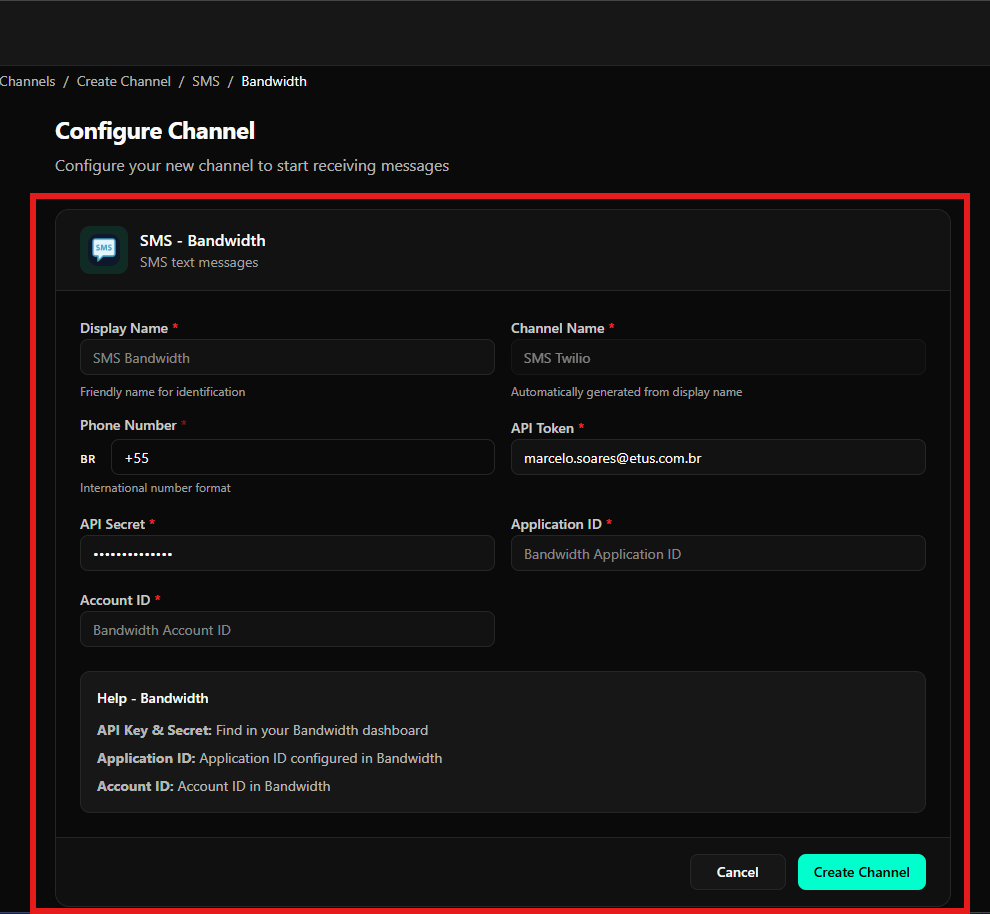
Basic Information
- Display Name *
- Friendly name for identification
- Example: “SMS Bandwidth”
- Channel Name *
- Name automatically generated from the display name
- Example: “SMS Twilio”
Phone Configuration
- Phone Number *
- Phone number in international format
- Country code selector (e.g., BR +55)
API Credentials
- API Token *
- Bandwidth API token
- API Secret *
- Bandwidth API secret (masked field)
- Application ID *
- Application ID configured in Bandwidth
- Account ID *
- Account ID in Bandwidth
Help - Bandwidth
- API Key & Secret: Find in your Bandwidth dashboard
- Application ID: Application ID configured in Bandwidth
- Account ID: Account ID in Bandwidth
Final Considerations
- The SMS channel requires a configured SMS provider (Twilio or Bandwidth)
- API credentials must be valid and active
- The phone number must be in international format
- Once configured, the channel allows sending and receiving SMS messages