

Integrations Overview
EvoNexus connects to external services through three mechanisms: MCP servers, API clients, and OAuth flows. Each integration provides data to one or more agents and routines.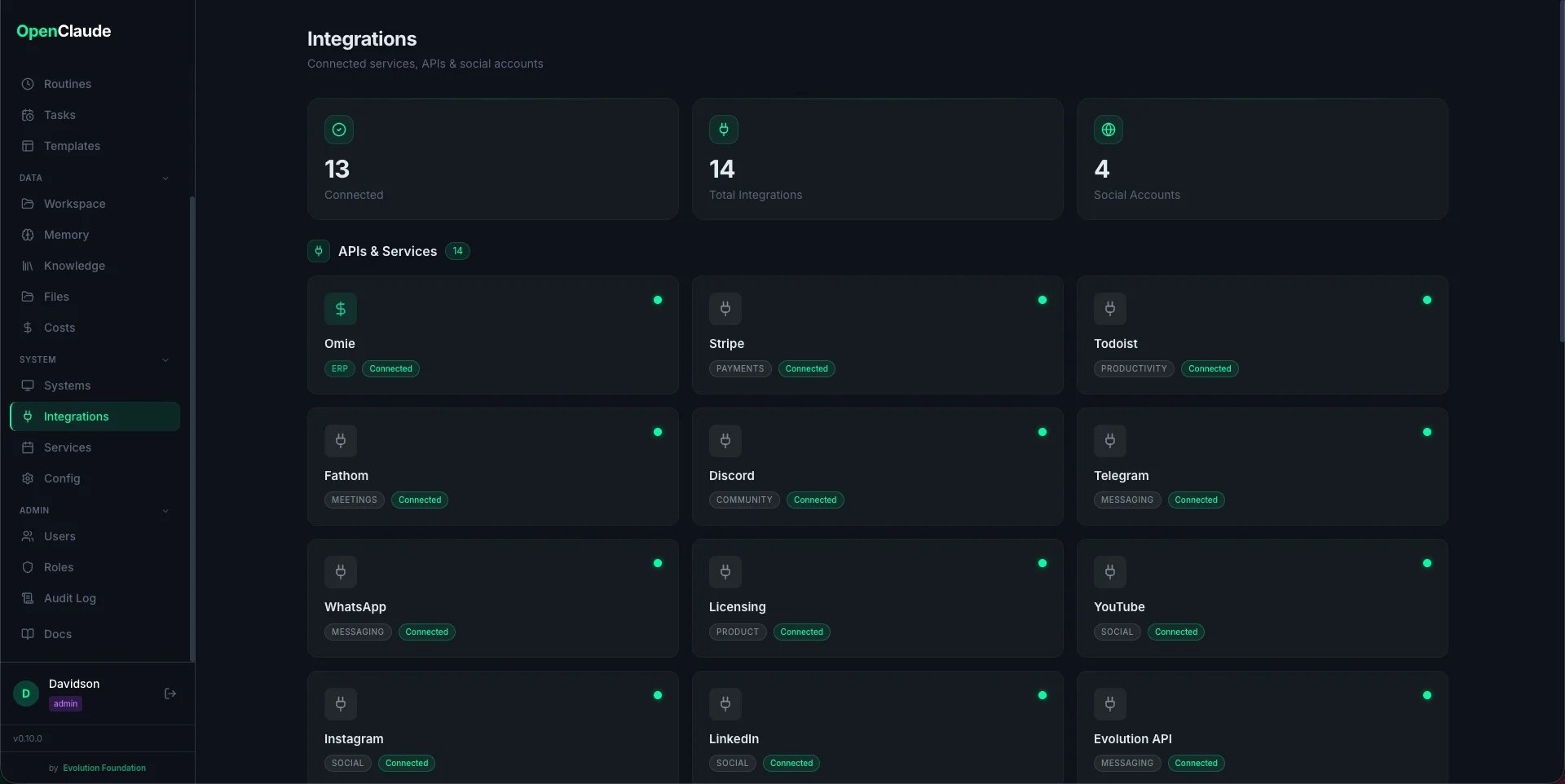
Channels (Bidirectional)
Channels are a different kind of integration: external systems push events into your running Claude Code session, and Claude can reply back through the same channel. Unlike API clients (which Claude calls on-demand) or MCP servers (which expose tools), channels deliver messages in real time.Note: The Discord channel (bidirectional chat with Claude Code) is separate from the Discord API integration (community monitoring via @pulse). Both can coexist.Full guide: Channels | Technical reference: Channels Reference
Integration Types
MCP Servers
Model Context Protocol servers run as sidecar processes alongside Claude Code. They expose tools that Claude can call natively during a session.
MCP servers are configured in
.claude/settings.json. Claude Code starts them automatically when their tools are needed.
API Clients
Direct HTTP calls to service APIs, executed by skills and routines via Python scripts.
API clients read credentials from
.env at runtime.
OAuth Flows
Social media accounts (YouTube, Instagram, LinkedIn) use OAuth for authentication. The dashboard provides a built-in OAuth flow:- Go to Integrations in the dashboard
- Click Connect on the platform you want
- Complete the OAuth consent screen
- Tokens are saved to
.envautomatically
.env:
Checking Integration Status
Dashboard
The Integrations page shows a status card for each service:- Green — connected and working
- Yellow — credentials present but not verified
- Red — missing credentials
CLI
Configuration
All integration credentials live in.env. The setup wizard (make setup) generates this file with empty placeholders for each enabled integration.
You can edit credentials through:
- The dashboard .env editor (Config > .env)
- Directly in the terminal:
nano .env
- Stripe — MRR, charges, subscriptions, churn
- Omie — Brazilian ERP: clients, invoices, financials, stock
- Bling — Brazilian ERP: products, orders, NF-e, stock (OAuth2 with auto-refresh)
- Asaas — Brazilian payments: Pix, boleto, credit card, subscriptions, marketplace split
- YouTube — Channel stats, videos, engagement (OAuth)
- Instagram — Profile, posts, engagement (Graph API + OAuth)
- LinkedIn — Profile and org stats (OAuth)
- GitHub — PRs, issues, releases via MCP + CLI
- Linear — Issues, sprints, project tracking via MCP Productivity:
- Google Calendar + Gmail — Agenda, scheduling, email triage
- Obsidian — Vault management, notes, search via CLI
- Evolution API — WhatsApp instances and messaging
- Evolution Go — Evolution Go instances
- Evo CRM — CRM contacts, conversations, pipelines