

Heartbeats
The Mental Model
A routine is systematic — the same script runs every day at 7am. A heartbeat is proactive — the agent wakes, looks, and decides whether to act. Every heartbeat run answers a single question:Given the current state of my domain, should I work now or skip?The agent returns a JSON verdict. If
action: work, the dispatcher lets the agent run its turns. If action: skip, the run ends immediately at near-zero cost.
Anatomy of a Heartbeat
Heartbeats live inconfig/heartbeats.yaml (source of truth) and are mirrored to the dashboard DB. Each entry has:
Quick Start
1. Create a heartbeat
From Claude Code, use thecreate-heartbeat skill:
“Create a 4-hour heartbeat for atlas-project that triages stale PRs and issues.”The skill walks you through the fields, defaults
enabled: false, and calls POST /api/heartbeats. The entry appears in the dashboard Heartbeats page as disabled.
Alternatively, edit config/heartbeats.yaml directly and call POST /api/heartbeats/reindex to mirror it into the DB.
3. Dry-run before enabling
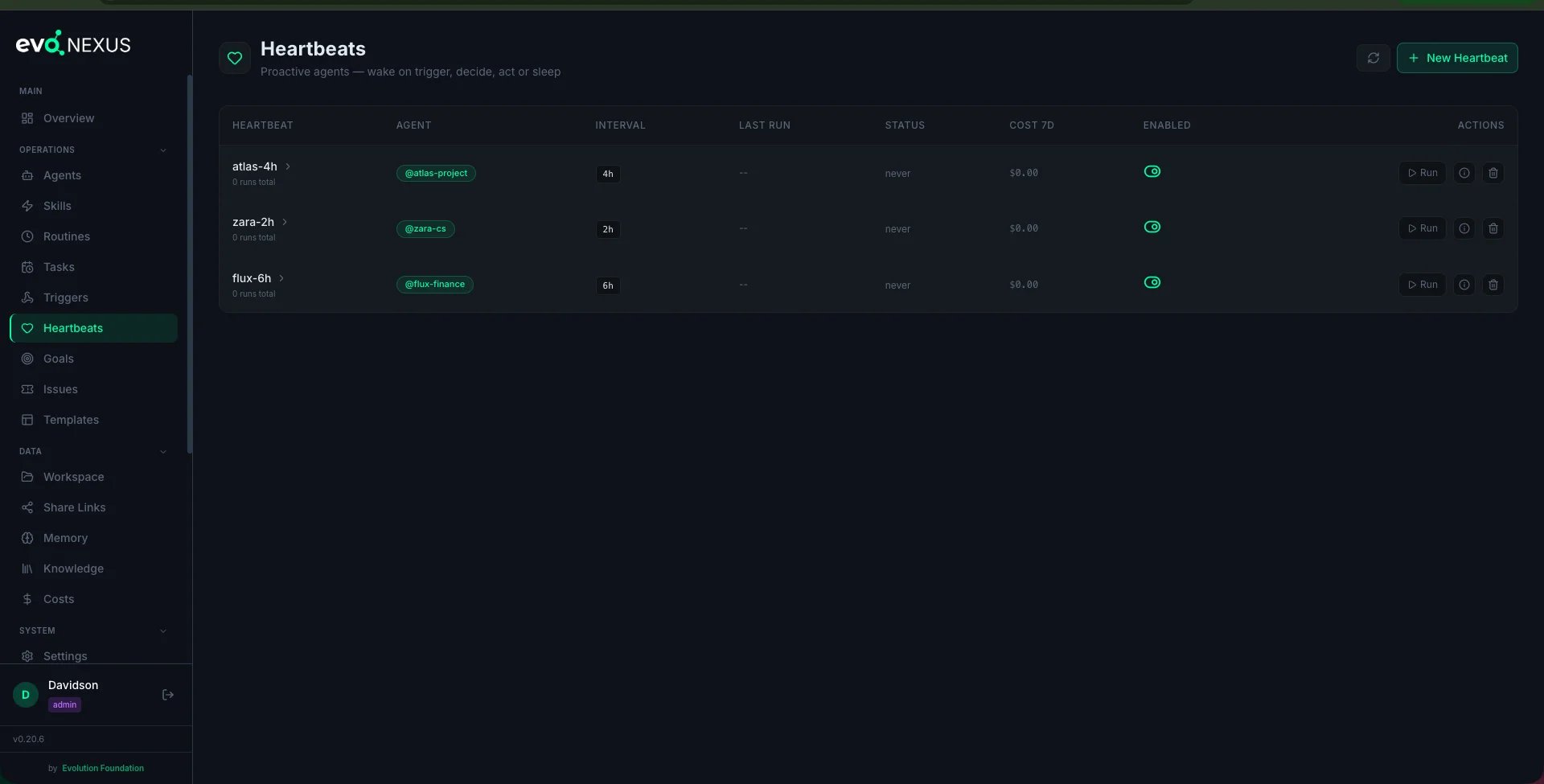
From the dashboard, click Run now on the card (or callPOST /api/heartbeats/{id}/run). This fires a one-off manual run regardless of the interval clock. Inspect the result:
- Did the agent return valid JSON?
- Was the decision reasonable?
- Did it stay within
max_turnsandtimeout_seconds?
4. Monitor runs
Every run recordsstarted_at, finished_at, status, tokens_input, tokens_output, cost_usd, and the parsed decision_json. The Heartbeats page in the dashboard shows the last 10 runs per card and aggregate 7-day cost.
Wake Triggers
A heartbeat wakes on any of the triggers listed inwake_triggers:
- interval — the scheduler fires every
interval_seconds. Almost always included. - manual — someone clicks “Run now” or calls the API. Enables operators to debug.
- mention — a
@agent-slugin a ticket comment fires a mention trigger (if the agent has an enabled heartbeat withmentionin its wake_triggers). Max 3 mentions per comment. - new_task — a goal task created with this agent as
assignee_agentwakes the heartbeat. - approval_decision — an approval request decided (future feature).
Cost Control
Because heartbeats burn tokens on every run, put guardrails on them:- Start
enabled: false. Always. Review the first manual run before enabling. - Use a crisp
decision_prompt. If the agent writes a paragraph when it should write JSON, you waste tokens. - Bias toward
skip. Train the prompt to skip unless there’s genuine urgency. A 4-hour heartbeat that skips 4 out of 6 runs per day is doing its job. - Cap
max_turnslow for pure triage heartbeats (5–10). Only raise it for agents that may need to act on multiple items. - Watch
cost_7don the dashboard card. If a heartbeat trends up, the prompt is probably too soft — tighten the skip criteria.
Debugging
A heartbeat isn’t firing
- Check the heartbeat’s
enabled— is this one individually on? - Check the dispatcher log (
journalctl -u evo-nexus -for the dashboard service logs) for interval registration. - Call
POST /api/heartbeats/{id}/run— does a manual run work? If yes, it’s a scheduler issue; if no, it’s an agent or prompt issue.
A run failed
Look at the run’sstderr_tail and stdout_tail. Common causes:
- Missing
required_secretsin.env decision_promptdidn’t force JSON — the parser couldn’t extract the verdict- Agent hit
max_turnsbefore returning (raise the cap or tighten the prompt) - Agent hit
timeout_seconds(integration call was slow — raise timeout or add a retry inside the agent)
YAML and DB drift
If you editedconfig/heartbeats.yaml by hand and the dashboard still shows the old state, run:
CLI Skills
Related
docs/goals.md— link a heartbeat to a goal for context injectiondocs/tickets.md—@mentionsin tickets wake heartbeats- Source:
dashboard/backend/heartbeat_dispatcher.py,dashboard/backend/routes/heartbeats.py,dashboard/backend/heartbeat_schema.py