

Esta página todavía está en inglés. La traducción al español está en progreso.
Tickets
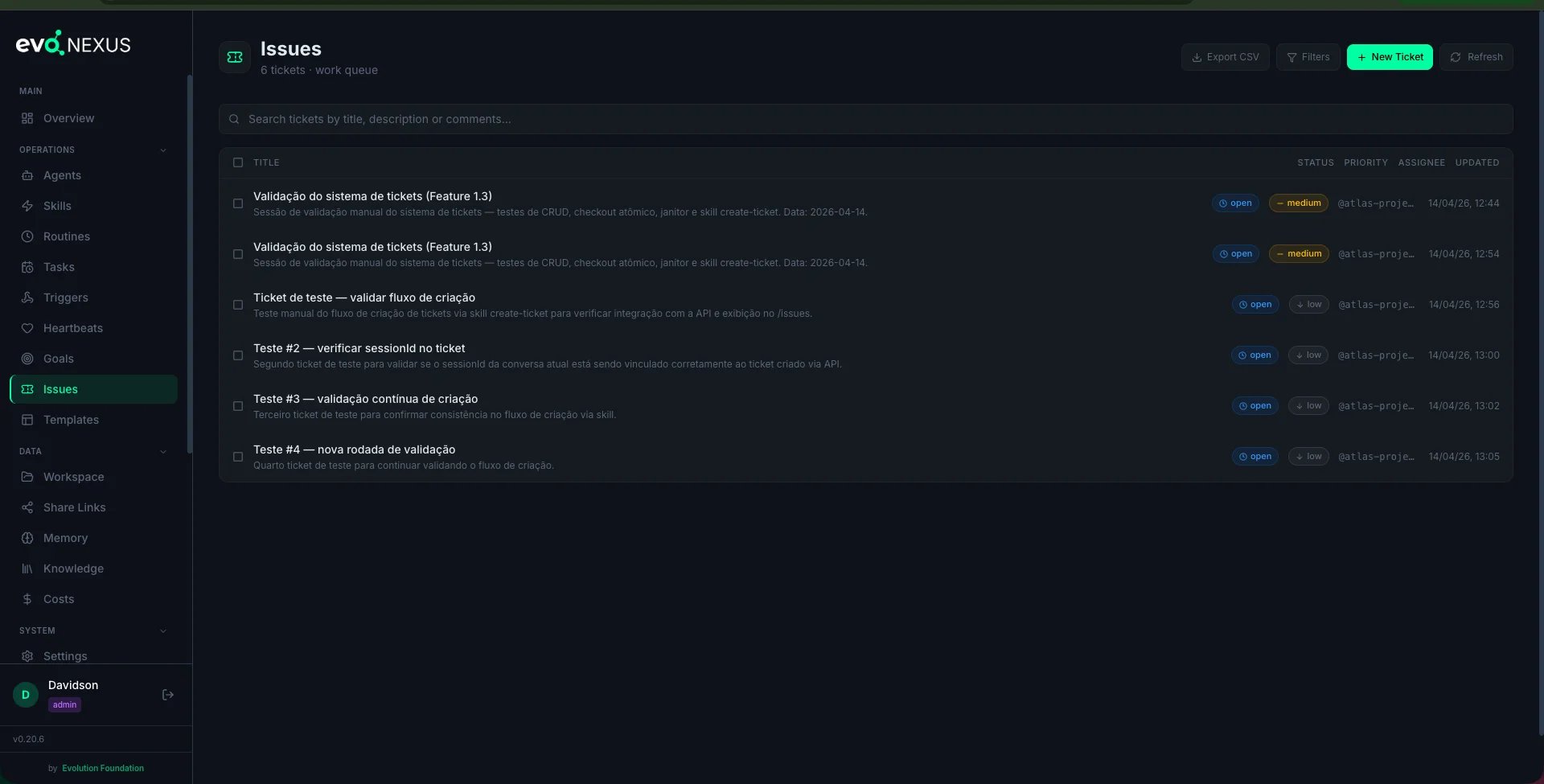
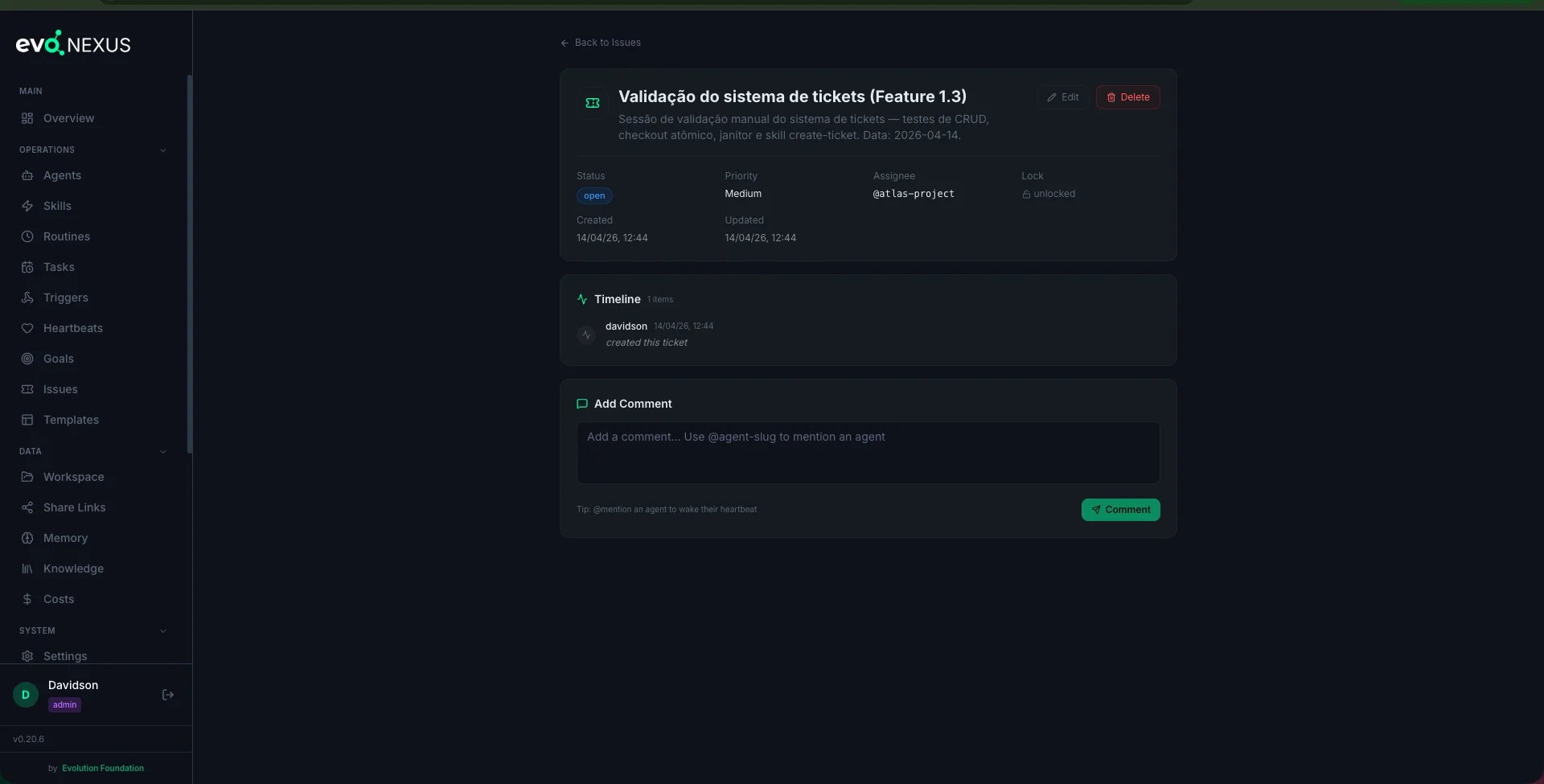
Anatomy of a Ticket
Comments and activity together form the ticket timeline — the full history of everything that happened on this ticket.
Workflow States
- open — nobody has picked it up
- in_progress — an agent has checked it out and is working
- waiting — blocked on external input (customer reply, human decision)
- resolved — work is done, pending final confirmation
- closed — terminal; this is what a soft-delete becomes
resolved_at when status flips to resolved or closed.
Creating a Ticket
Via the create-ticket skill
From Claude Code:
“Open a ticket for Hawk about the Stripe webhook returning 500.”The skill asks for title, description, priority, optional assignee / project / goal, and calls
POST /api/tickets.
Via the dashboard
The Tickets page has a “New Ticket” form.Via the API
Atomic Checkout
The central safety feature. When an agent wants to work a ticket, it calls:already_locked with the current holder’s name. This is what makes tickets safe when multiple heartbeats point at the same queue — only one agent can actually work the ticket at a time.
Release
locked_by == agent before clearing the lock.
Stale lock sweep
ticket_janitor.py runs periodically and releases any lock older than its lock_timeout_seconds. This prevents a crashed agent from holding a ticket forever.
Comments and Mentions
Comments are the live conversation. The description is static; comments accumulate.@Mentions fire heartbeat triggers
If the comment contains@agent-slug, and that agent has an enabled heartbeat with mention in its wake_triggers, the backend inserts a row into heartbeat_triggers. The dispatcher picks it up on the next tick and wakes the agent — with the ticket + comment as context.
This is how you hand off work to a proactive agent without paging a human first.
Storm guard
Max 3 mentions per comment. Extras are silently dropped. This prevents a commenter (human or agent) from accidentally firing 50 heartbeats in one message.Tickets vs Sessions
If you want to ask a quick question and move on — session. If the outcome matters, multiple agents might touch it, or you want a record — ticket.
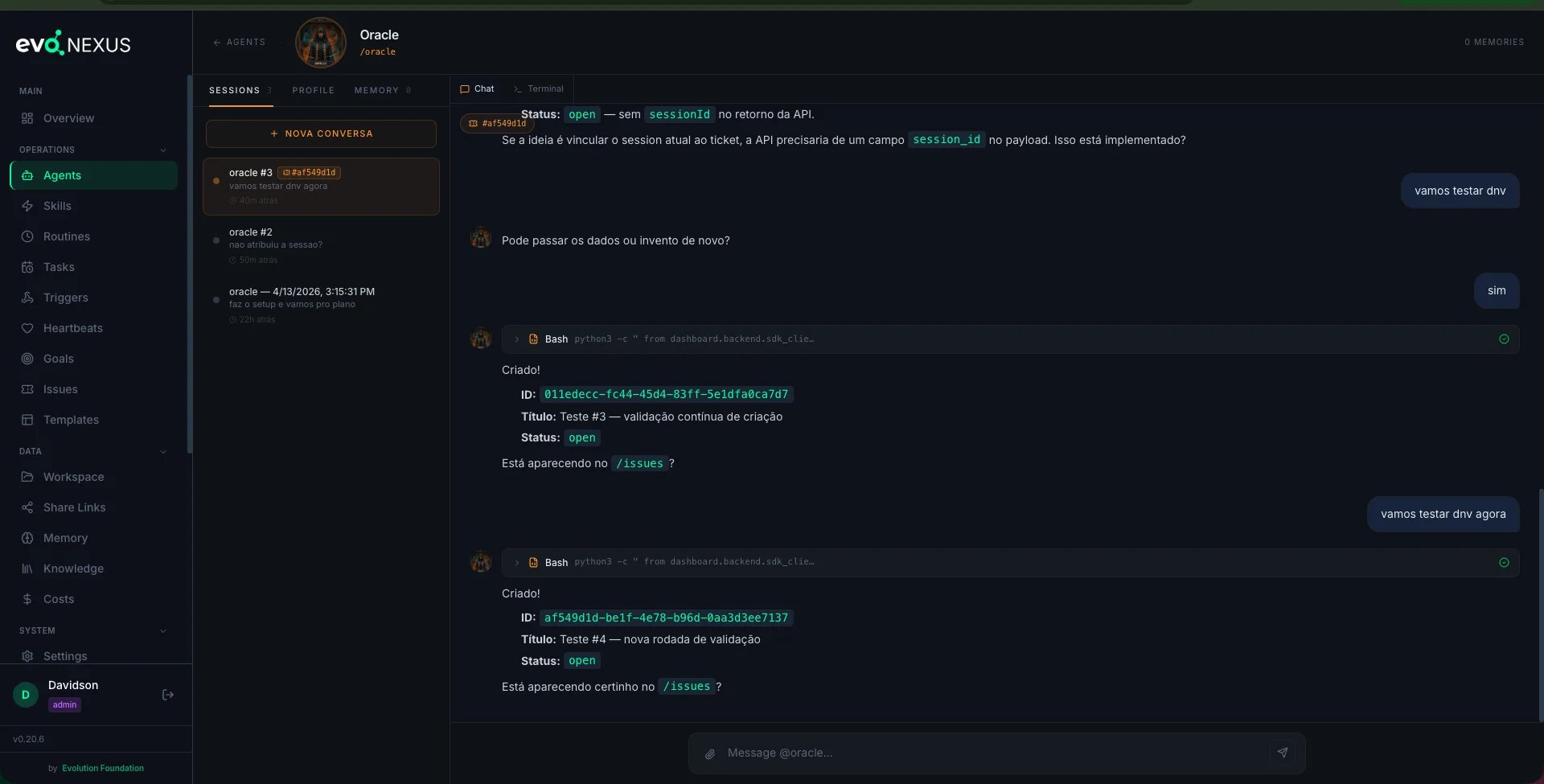
Session auto-binding
When an agent creates a ticket from inside a chat session, the terminal-server detects the API response and automatically binds the session to the ticket. The session sidebar shows a🎫 #xxxxxxxx chip so you can see at a glance which ticket each conversation is about.
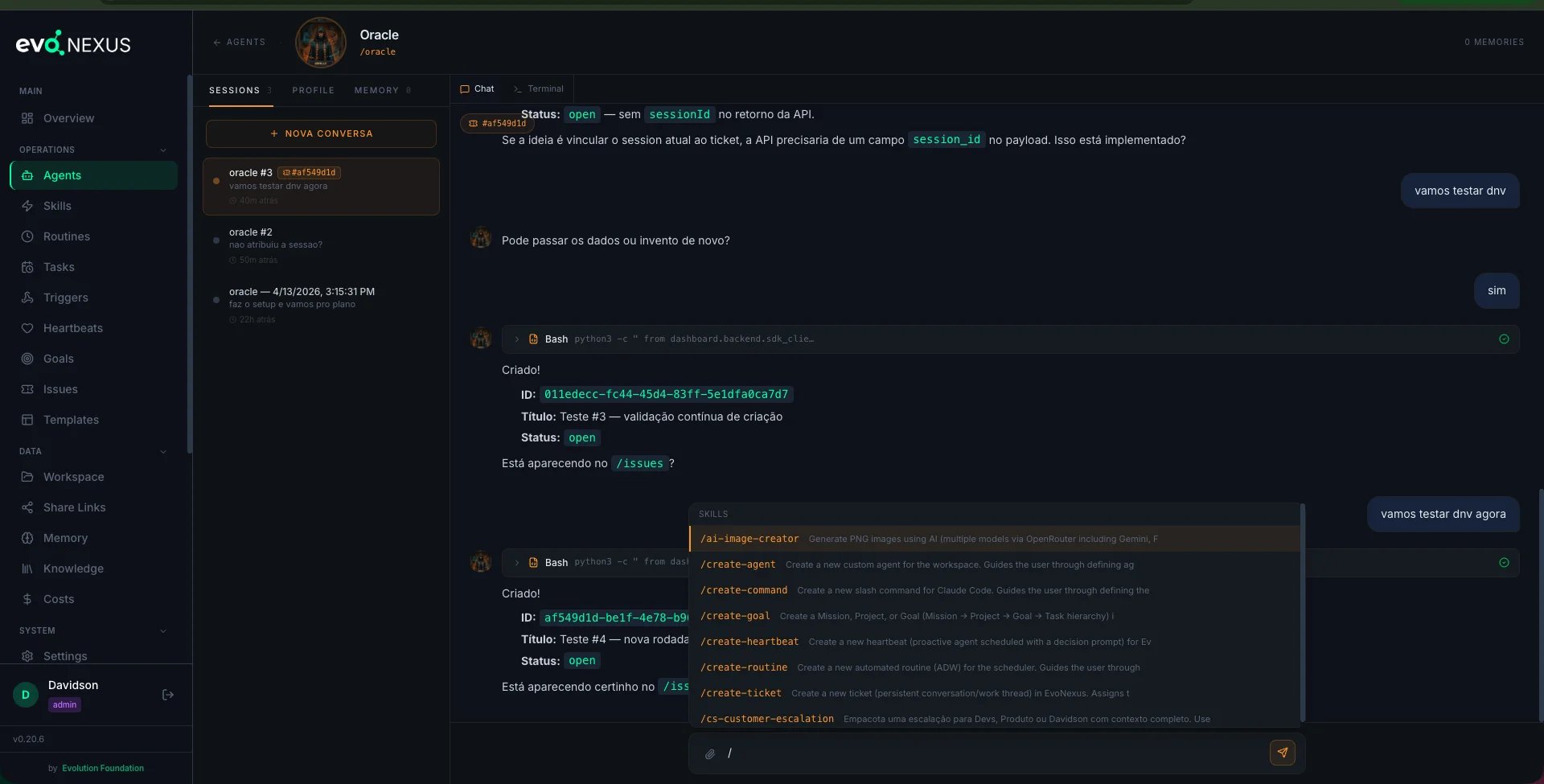
Slash-command autocomplete
Typing/ in the chat opens a popup with all available skills — filter by substring, navigate with ↑↓, insert with Enter/Tab, close with Esc.
Operating on Tickets
List / filter
Update
status, priority, assignee_agent, title, description, project_id, goal_id. Every change is recorded in the activity log.
Timeline
Bulk actions
close, reassign, relink_goal.
Close vs delete
DELETE /api/tickets/{id}(default, soft) — flips status toclosed, keeps the ticket and its historyDELETE /api/tickets/{id}?hard=true(admin only) — removes the ticket row entirely
Export
Anti-patterns
- Skipping checkout in an automated agent. Two heartbeats fire at the same second, both grab the same ticket, both run — state corrupts. Always checkout.
- Writing description-only tickets for in-flight work. The description is static. Live updates belong in comments, so the timeline tells the story.
- Mentioning agents that have no enabled heartbeat. The mention won’t fire anything. If you need that agent to pick it up, enable its heartbeat first.
- Using
?hard=truecasually. You lose the history. If you need the ticket gone but reviewable, soft-close and archive. - Priority inflation. If everything is
urgent, nothing is. Reserveurgentfor outages and P1 customer issues.
CLI Skills
Related
docs/heartbeats.md— @mentions in ticket comments wake heartbeatsdocs/goals.md— link tickets to goals for progress tracking- Source:
dashboard/backend/routes/tickets.py,dashboard/backend/ticket_janitor.py,dashboard/backend/ticket_inbox.py